
Micromax spin-off Yu first shook up the mid-range space with the Yureka.
This time, they’re targeting budget devices and come armed with a metal
frame, distinctive design and, of course, Cyanogen OS. On paper, the
Yuphoria sure looks a fantastic budget Android device.
Monday, October 26, 2015
Thursday, May 23, 2013
Samsung Galaxy Mega 6.3 gets a pre-order price in UK, coming in July
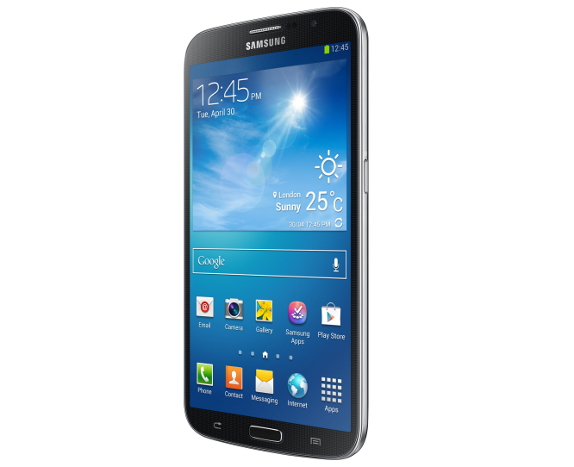
Samsung announced the Galaxy Mega 6.3 last month. Online retailer Clove UK has announced that they have started taking pre-orders for the device. It has a 6.3-inch HD ( 1280 x 720 pixels) TFT capacitive touch screen display, powered by a 1.7 GHz dual-core processor and runs on Android 4.2 (Jelly Bean). It packs a 8-megapixel auto-focus rear camera with LED Flash, a 1.9-megapixel front-facing camera and comes with a 3200 mAh battery.
Samsung Galaxy Mega 6.3 specifications
- 6.3-inch HD ( 1280 x 720 pixels) TFT capacitive touch screen display
- 1.7 GHz dual-core processor
- Android 4.2 Jelly Bean OS
- 8MP auto-focus rear camera with LED Flash
- 1.9 MP front-facing camera
- 7.9mm thick and weighs 199 grams
- 1.5 GB RAM, 8/16GB Internal Memory, expandable memory up to 64GB with micro SD
- 4G LTE 100/50Mbps, 3G HSPA+21Mbps, Wi-Fi a/b/g/n/ac, WiFi Direct, Bluetooth 4.0, GPS+GLONASS, NFC, MHL
- 3200 mAh battery
Source: Clove
Wednesday, May 22, 2013
Follow Dr. Shashi Tharoor on Google+ to discuss the future of higher education in India
Higher
education is one of the principal drivers of the economic growth of a
country. Minister of state for HRD, Dr. Shashi Tharoor will take
questions from citizens on the future of higher education in the
country. On May 9th, 2013 at 7 pm (IST) he will be joined by people
from across the globe on a Google+ Hangout.
Dr
Tharoor is one of the early adopters of social media in India and a
true believer in the power of the Internet. His Google+ Hangout will be
moderated by senior journalist Sonia Singh. Dr Tharoor will be
addressing questions on challenges in higher education like faculty
shortage, low number of accredited institutions and more.
Google+
is all about creating a better experience across Google, and provides a
powerful communications platform for users. Since its launch in July
2011, the Google+ community has grown rapidly with more than 500 million
users worldwide. Google+ Hangouts allow up to 10 people participating
at a point of time to join the hangout. You can later share the hangout
on YouTube or live stream it using Hangouts on Air.
Watch out for the Google+ Hangout live with Dr Shashi Tharoor on the Google India +Page at google.com/+GoogleIndia or subscribe to the InConversation YouTube channel. You can participate in this hangout by posting your questions for Dr Tharoor on this link.
NOKIA Do Good Hackathon event : Design and develop apps for people and planet
Ever felt like you had a really good idea for an app that could
change people’s lives and make the world a better place? Then this is a
golden opportunity knocking at your door.
Devworx in collabration with Nokia gives you a chance to create an app based on your idea and win prizes that you would cherish.
What will you get?
![register now]() HURRY UP !! LIMITED SEATS AVAILABLE
HURRY UP !! LIMITED SEATS AVAILABLE
For more details on the program, quality criteria etc. please visit here

Devworx in collabration with Nokia gives you a chance to create an app based on your idea and win prizes that you would cherish.
What will you get?
- For each Hackathon
- Winner gets access to App Campus program.
- For each hackathons and for each category
- Grand Prize: Nokia Lumia 920
- Second Prize: Nokia Lumia 820
- Third Prize: Nokia Lumia 720
- Register yourself for the Do Good Hackathon event!
- Share your app idea with us latest by:
- Bangalore: May 31, 2013
- Delhi: June 5, 2013
- Pune: June 12, 2013
- Best ideas would be selected by a jury of experienced technology enthusiast and selected developers would be invited to participate in a 24 hr hackathon in any of the 3 given cities.
- Based on your idea, start developing app(functional/semi-functional at simulator) on your system before coming to the event
- Complete the app on the day of the Hackathon and present it infront of a grand jury.
For more details on the program, quality criteria etc. please visit here
Friday, May 17, 2013
Ten Reasons Why Samsung's 5G Is Mostly Hype
On Monday, Samsung made a 5G announcement promising download of 3D movies in seconds. Samsung did the most masterful job of spinning a test for the maximum public relations impact that I have seen in a long time. Samsung served up such a sumptuous treat to the media who seem fascinated by technology. Obviously many media people are not engineers and as such may not have the background to know the right questions to ask.
The announcement first caught my eye when it was reported by South Korea’s Yonhap News Agency . Subsequently Samsung stated that its new 5G technology will provide transmission rates of several hundred times faster than 4G.
Here is why Samsung’s announcement is a hyperbole.
The announcement first caught my eye when it was reported by South Korea’s Yonhap News Agency . Subsequently Samsung stated that its new 5G technology will provide transmission rates of several hundred times faster than 4G.
Here is why Samsung’s announcement is a hyperbole.
- Its experiment achieved a data rate of 1.056 Gbps. This is not several hundred times of today’s fastest 4G LTE networks. According to a study, even AT&T which does not have the fastest network in the world achieved 57.7 Mbps of maximum download speeds in real life. Samsung’s test achieved only about 18 times AT&T’s max average speed.
- Transmissions in the millimeter wave band do not pass through building walls.
- Transmissions in the millimeter wave band are attenuated even by trees.
- Transmissions In the millimeter wave band are easily absorbed by rain drops, humidity has significant impact.
- Samsung claims to have used a 64 element antenna. There are no more details about this antenna. Considering the claims Samsung is making, it appears to me that transitioning such an antenna from a mere outdoor experiment to the point of miniaturization so that it can be used in an actual phone may be not be easily achievable.
- Transmissions in the millimeter band are typically used in line-of-sight applications because they do not bend or reflect well.
- There is a doppler shift when the recipient is moving and this can be a significant issue.
- At these high frequencies, a phone can be severely impacted by shadowing caused by the user’s body.
- Although 4G has become part of our daily vocabulary, there is no 5G standard that exists today. 5G is simply a generic term for the next generation network. In general, in the world of communications, standards are developed long before commercialization. There is no 5G standard published by any recognized body.
- Samsung itself projects that the technology may not be ready until 2020.
Samsung To Launch 5G By 2020, Hits Speeds Of 1Gbps In Tests

Samsung Electronics has developed core technology that will allow it to deliver high-speed 5G wireless data connections to consumers by 2020, the company announced today. The system allows data transmission up to several hundred times faster than current 4G networks.
5G mobile communications technology is the next generation of 4G LTE networks tech and can offer data transmission speeds of up to several tens of Gbps per base station. Once 5G networks are commercialized, they will allow users to transmit massive data files, including UHD movies and remote medical services, “practically without limitation,” Samsung claims.
4G connections have gradually become available to consumers around the world since 2008, but many countries, including China, are still working toward launching their LTE networks. Samsung says, however, that its new adaptive array transceiver technology overcomes the limitations that millimeter-wave bands had when transmitting data over long distances. It transmits data in the millimeter-wave band at a frequency of 28 GHz at a speed of up to 1.056 Gbps to a distance of up to 2 kilometers.
“The millimeter-wave band is the most effective solution to recent surges in wireless Internet usage. Samsung’s recent success in developing the adaptive array transceiver technology has brought us one step closer to the commercialization of 5G mobile communications in the millimeter-wave bands,” said Samsung executive vice president and head of digital medial and communication R&D ChangYeong Kim.
Samsung isn’t the only company to announce that it has developed 5G core tech. In February, NTT DoCoMo confirmed that it had successfully conducted a 10Gbps wireless tes
Samsung's 5G Is 'Several Hundred Times Faster' Than 4G
Samsung has developed a new mobile data transfer technology that's potentially up to "several hundred times" faster than current 4G networks. More precisely, the company announced "the world’s first adaptive array transceiver technology operating in the millimeter-wave Ka bands for cellular communications."
Samsung says the technology "sits at the core" of a 5G mobile communications system, and it can say that with relative ease, as 5G (unlike LTE or 4G) is currently not a defined set of standards — more a vague idea of whatever comes next after 4G.
Samsung's new technology, which the company plans to commercialize by 2020, sounds impressive when it comes to data transfer speeds. In its testing, Samsung managed to transmit data at a speed of up to 1.056Gbps to a distance of up to 2 kilometers.
In practice, Samsung envisions mobile transmission of "massive" data files, which include high-quality movies, "practically without limitation."
Though 4G technology hasn't really reached the hands of consumers yet, the race to set the standards for 5G are already underway. In March 2013, China's Ministry of Industry and Information Technology established a working group to research 5G, and the EU announced in February it will invest 5 million euros in 5G research.
Samsung Galaxy S4 to be Optimized for Improved Internal Storage Capacity
The Samsung Galaxy S4 is a generally well received smartphone, however, the devices operating system and additional software add-ons take up a large chunk of the mobile devices internal storage capacity.
According to a new report the company is now preparing to fix storage issues. The BBC consumer affairs show Watchdog investigated numerous customer complaints about TouchWiz implementation and other additions that took up valuable storage space.
Samsung is not the only phone manufacturer to suffer from storage issues. For example, the HTC One offers 16GB but takes up 7.14GB of space. Apple on the other hand takes up just 3.5GB for its storage space on the iPhone 5.

The 16GB model of the Samsung Galaxy S4 leaves buyers with just 8.82GB of free space. The one advantage the device has over the HTC One and Apple iPhone models is the inclusion of a microSD card slot that provides greatly expanded memory up to 64GB.
Speaking to CNET Samsung says of the internal memory issue:
The Android stock version of Samsung’s Galaxy S4 will go on sale June 26 for $649.
Google has not yet announced which version of the Google Android OS will be placed on the Samsung Galaxy S4.
Will you be purchasing the Samsung Galaxy S4 or would you rather buy the stock Google Android version which will likely take up less memory?
According to a new report the company is now preparing to fix storage issues. The BBC consumer affairs show Watchdog investigated numerous customer complaints about TouchWiz implementation and other additions that took up valuable storage space.
Samsung is not the only phone manufacturer to suffer from storage issues. For example, the HTC One offers 16GB but takes up 7.14GB of space. Apple on the other hand takes up just 3.5GB for its storage space on the iPhone 5.
The 16GB model of the Samsung Galaxy S4 leaves buyers with just 8.82GB of free space. The one advantage the device has over the HTC One and Apple iPhone models is the inclusion of a microSD card slot that provides greatly expanded memory up to 64GB.
Speaking to CNET Samsung says of the internal memory issue:
“We appreciate this issue being raised and we will improve our communications. Also, we are reviewing the possibility to secure more memory space through further software optimization.”Users looking for a Samsung Galaxy S4 with better memory management might want to wait for the unlocked Google version of the smartphone. Google recently announced that it would sell a fully unlocked version of the Galaxy S4 that comes equipped with a stock installation of Google Android.
The Android stock version of Samsung’s Galaxy S4 will go on sale June 26 for $649.
Google has not yet announced which version of the Google Android OS will be placed on the Samsung Galaxy S4.
Will you be purchasing the Samsung Galaxy S4 or would you rather buy the stock Google Android version which will likely take up less memory?
Thursday, May 16, 2013
Be a part of Google Student Ambassadors (GSA) Program 2013
The magic of success is a perfect blend of education, passion, hard and smart work. In today’s fast changing technology landscape, programs that bridge the gap between what is taught in the college and what is sought by the industry are important. Google facilitates one such partnership through its Google Student Ambassador (GSA) program – where we partner with academia to promote the use of technology in everyday lives. The Google Student Ambassador is a liaison between Google and the students’ college or university. The Ambassadors work directly with Google to conduct activities within their campuses during the academic year, - introducing fellow students to new Google products and features, and acting as campus contacts connecting Google with partnering institutions.
Following an overwhelming response to the program last year, we are working with over 500 colleges and universities in India, this year, to identify and recruit Student Ambassadors for the upcoming academic year. After a pre-defined series of evaluations and interviews, 300 GSA’s will be selected to represent their educational institutions this year. We are currently in the process of identifying faculty members who would act as the single point of contact to support the program in each of the shortlisted educational institutions. This year we are accepting applications only from the students who are referred by the identified faculty members.
Who are we looking for?
We are looking for students who are:
- Studying in one of the identified institutions – listed HERE.
- Going to be enrolled in the pre-final year of their Under Graduate or Graduate studies in the 2013-2014 academic year.
- Referred by the identified point of contact from one of the shortlisted institutions – mentioned HERE.
- Passionate about technology, learning and sharing.
- Able to work with students and college authorities to drive various programs and initiatives.
GET IN TOUCH with the identified faculty contact from your institution, REQUEST him/her to refer your name for the program, we will get in touch with you and get to know you better and select the most deserving candidate from your institution.
Come, be a part of a Technology Revolution!
Sunday, May 12, 2013
Nokia Lumia 928, The Facelifted Lumia 920 Goes On Sale In The US

Nokia has launched it’s new high-end smart phone, the Lumia 928 in the United States. The new smart phone is a bid by the company to regain it’s market share, which it has been losing to Apple and Samsung since a few years now.
The Nokia Lumia 928 is a small upgrade over the Lumia 920, which was launched earlier this year. The Lumia 928 features almost the same set of hardware as the Lumia 920, but in a slimmer and lighter body.
The Lumia 928 is 23 grams lighter than the Lumia 920, weighing at about 162 grams. The new smart phone is also 0.6mm thinner than the Lumia 920.
Coming to the specifications, there aren’t any major differences between the specs of both the smartphones. However, the Lumia 928 promises to enhance the low-light photography as compared to the Lumia 920, as it features a Xenon flash, as opposed to dual-LED flash on the Lumia 920. The camera itself on both the devices remains the same, which is an 8.7 megapixel Pure view camera at the back, and a 1.3 megapixel camera at the front.
Second difference between both the devices comes in the form of their display, as the Nokia Lumia 928 features a 4.5-inch AMOLED PureMotion HD+ ClearBlack display, while the Lumia 920 has an LCD IPS display, with all those bells and whistles.

Powered by a 1.5GHz dual-core Qualcomm Snapdragon S4 processor, the Lumia 928 gets 1GB of RAM and 32GB of internal storage, same as the Lumia 920.
Both the smart phones get the same capacity battery as well, which is rated at 2,000 mAh, but while the Lumia 920 has a Li-Ion battery, the Lumia 928 gets a Li-Polymer battery.
The Nokia Lumia 928 promises a better audio quality as well, as it features louder and improved speaker, giving 140db audio, which surpasses even the HTC One’s 89db.
While the Nokia Lumia 920 is available in a wide range of colors, the Lumia 928 is available in only Black and White color options.
The Finnish smartphone-maker is trying really hard to win back it’s market share, be it with it’s the lower-end devices or the top-of-the line smart phones. A couple of days back, Nokia announced the new Asha 501 in New Delhi, and next week, the company is holding an event in London, where the long-rumored Nokia Catwalk is expected to make an appearance.
Saturday, May 11, 2013
Amazon Developing A High-End 3D Smartphone

While Amazon has been quite successful with it’s Kindle e-readers and Kindle Fire tablets, it has been rumored since long that the company will foray into the smart phone segment as well.
Now, according to a latest report, Amazon is working on not one, but two smart phones, one of which will be a high-end 3D smart phone, featuring a glassless 3D display. The smart phone will use a retina-tracking technology, using which the 3D image on the smartphone will refocus as per the movement of user’s eyes, allowing users to easily view content in 3D at all angles.
Using the same retina tracking technology, users will be able to navigate through content on the smart phone, just like we’ve seen on the Samsung Galaxy S4.
Interestingly, the report says that the two smart phones are only a part of the larger hardware push by the company, which also plans to introduce an audio-only streaming device. Other than that, Amazon is also building a set top box for streaming movies and TV shows.
The report adds that Amazon plans to introduce the new devices in the coming months, but says that some or all these devices might also be dropped pertaining to issues related to the performance of these devices or other financial reasons.
If Amazon does introduce it’s own smart phone, it will bring the company in a direct competition with the likes of Apple and Google.
Thursday, May 9, 2013
Windows 8 Market Share Not Improving, XP Still Hanging On
Despite all the media attention, Windows 8 is still not growing at the rate Microsoft would have hoped. Windows XP on the other hand, has continued to enjoy the same amount of market share as it did in previous years.
As stated by Net Applications, an Internet analytics company, Windows 8 has seen little progress with their market share in April, literally amounting to half a percentage in usage shares. Compared actively to Microsoft’s last big dud in the field, aka Windows Vista, the figures place Windows 8 a few paces behind the slow reception received by Windows Vista in 2007.
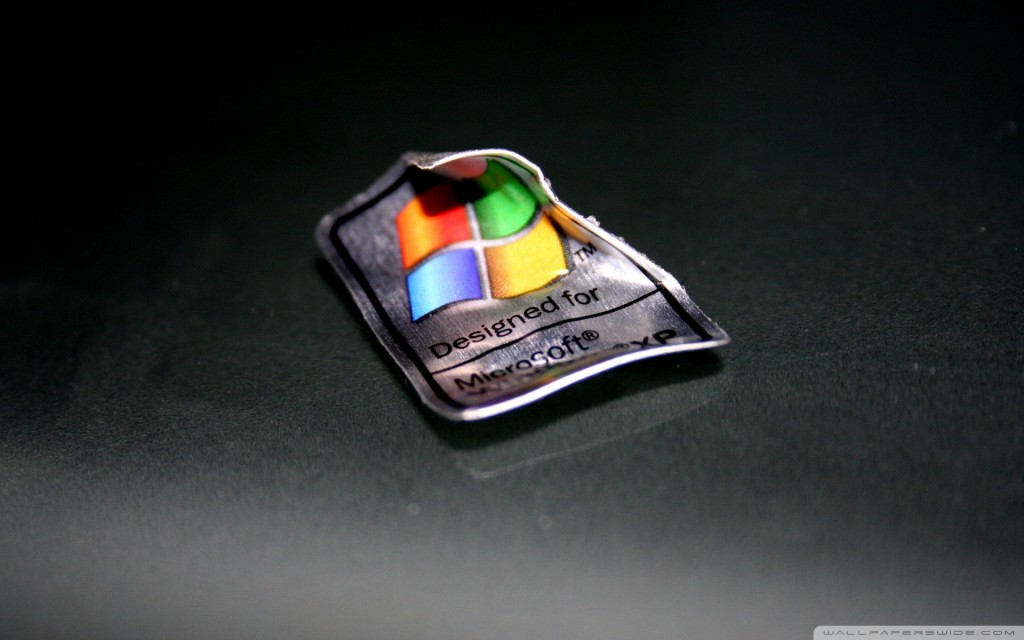
However, Net Applications did a comparative study between Windows Vista and Windows 8. Unfortunately, the figures are rather more in favor of Windows Vista which shows that by the end of six months, Windows Vista held a usage share of almost 5.8% among Window’s operated PC’s while Windows 8 is seen to be almost 1.6 points behind when compared over the same duration of time since its initial release in the market.
Nonetheless, the figures of April mark a difference between Windows 8 and Vista as coming to several tenths larger in points as compared to the month before. So far, this is considered to be the biggest difference seen in Computerworld’s tracking done year-long.
On the other hand, Microsoft is having trouble pushing Windows XP towards retirement which still stubbornly holds around 41% in usage shares among Windows PC systems on a worldwide basis in the month of April. However, in March, the usage shares amounted to almost 42%, so the drop in users only amounts to 1 point so far as reported by Net Applications.
Overall, Windows XP remains solidly resistant to Microsoft’s retirement efforts although the support for the 12 year old OS will be approaching its proposed retirement by April 8, 2014. Moreover, despite the fact that Microsoft’s support for Windows XP will be pulled, it is still predicted that the rate at which Windows XP is declining will mean that there will still be a substantial amount of XP users remaining.
Based on the figures that indicate the average rate of loss on a monthly basis, it is safely predicted that when the awaited date arrives, Windows XP users will still be among the Windows PC users and will amount to a total of 30.5% in percentage points.
Similarly, Net Applications has also reported upon the figures of the launch of other versions of Windows which reveal that Windows 8 has shown no effect upon the sales of Windows XP and the latter has remained dominatingly firm in the market with its percentage score of 48.7% in percentage points. The figures clearly show that Windows XP can hold its own among other versions of Windows and the launch of Windows 8 has not affected this old OS at all.
As stated by Net Applications, an Internet analytics company, Windows 8 has seen little progress with their market share in April, literally amounting to half a percentage in usage shares. Compared actively to Microsoft’s last big dud in the field, aka Windows Vista, the figures place Windows 8 a few paces behind the slow reception received by Windows Vista in 2007.
However, Net Applications did a comparative study between Windows Vista and Windows 8. Unfortunately, the figures are rather more in favor of Windows Vista which shows that by the end of six months, Windows Vista held a usage share of almost 5.8% among Window’s operated PC’s while Windows 8 is seen to be almost 1.6 points behind when compared over the same duration of time since its initial release in the market.
Nonetheless, the figures of April mark a difference between Windows 8 and Vista as coming to several tenths larger in points as compared to the month before. So far, this is considered to be the biggest difference seen in Computerworld’s tracking done year-long.
On the other hand, Microsoft is having trouble pushing Windows XP towards retirement which still stubbornly holds around 41% in usage shares among Windows PC systems on a worldwide basis in the month of April. However, in March, the usage shares amounted to almost 42%, so the drop in users only amounts to 1 point so far as reported by Net Applications.
Overall, Windows XP remains solidly resistant to Microsoft’s retirement efforts although the support for the 12 year old OS will be approaching its proposed retirement by April 8, 2014. Moreover, despite the fact that Microsoft’s support for Windows XP will be pulled, it is still predicted that the rate at which Windows XP is declining will mean that there will still be a substantial amount of XP users remaining.
Based on the figures that indicate the average rate of loss on a monthly basis, it is safely predicted that when the awaited date arrives, Windows XP users will still be among the Windows PC users and will amount to a total of 30.5% in percentage points.
Similarly, Net Applications has also reported upon the figures of the launch of other versions of Windows which reveal that Windows 8 has shown no effect upon the sales of Windows XP and the latter has remained dominatingly firm in the market with its percentage score of 48.7% in percentage points. The figures clearly show that Windows XP can hold its own among other versions of Windows and the launch of Windows 8 has not affected this old OS at all.
WhatsApp says it has more users than Twitter

Messaging app WhatsApp now has more users than Twitter, company founder and CEO Jan Koum said at the AllThingsD Dive Into Mobile conference in New York.
Declining to cite a specific figure, Koum said WhatsApp has more than 200 million monthly active users who generate an average of 8 billion inbound messages and 12 billion outbound messages per day.
Twitter has 200 million monthly active users.
The WhatsApp Messenger, which is available for iPhone, BlackBerry, Android and Nokia, allows users to exchange messages without having to pay for SMS.
After providing the service for free since its founding in 2009, WhatsApp is gradually phasing in an annual fee of 99 cents.
Koum denied rumours that he is in talks to sell WhatsApp to Google.
'Our goal is to build a sustainable, independent company. We want to build a business,' he said at the Dive Into Mobile Conference, where he also ruled-out abandoning WhatsApp's policy against running ads.
'Mobile and messaging is the only thing we do,' Koum said, rejecting the notion of turning WhatsApp into a broader platform that would include games, advertising and other features.
Wednesday, May 8, 2013
New Budget Smartphone -Nokia Lumia 520
Nokia has gone real crazy, just
released a dual-core Windows Phone 8 smartphone Lumia 520 with 4” WVGA
IPS resolution display at only 10,500 Rs, which is the most value for
money device at this price. This phone also sports a 5 mp auto-focus
camera with HD recording, 1430 mAh battery & a wide range of color
options – White, Black, Yellow, Red & Cyan. The best Android phone
at this price is the new Sony Xperia E which has a poor quality 3.5”
HVGA display with pretty basic CPU & GPU- 1 GHz single core
Cortex-A5 process & mediocre Adreno 200 GPU. This Nokia Lumia 520 is
the best device to buy at around 10K INR at this moment if you are not
a die-hard Android fan.

Strong points: Very good looking phone with sturdy build & excellent specifications for the price, good camera & loud loud-speaker, great social networking integration, free Nokia services like Nokia Music and obviously stylish & refreshing Windows Phone 8 OS.
Weak points: To cut down the price, Nokia has excluded some important features like the front camera, secondary microphone, LED flash & as there is no compass, Nokia City Lens doesn’t work. Not all the features of the OS are available on this phone like Lumia 620, which is just 3600 pricer. Above all, Windows Phone OS is not as user friendly & as customisable as Android and Windows Phone store falls short of Android Google Play Store.
Suitable for those people who are tight on budget but still want to taste the Smartphone experience. The OS is very beautiful with in-depth social networking integration, so if you spend a lot of time on Facebook, Twitter etc., then this Windows Phone 8 is the best OS on earth for you. For the same price, you will get Sony Xperia E if you want to go for Android, but as you must know this Xperia E is just a cheap quality basic Android phone compared to this Lumia 520 & Android phones are good only if you spend 20K Rs or more. Lumia 520 has the same UI as the premium Lumia 920 unlike Android phones. So, get this device, you will love it!
Key Features
- Dual-core 1 GHz Krait processor with Qualcomm MSM8227 chipset, Adreno 305 GPU, 512 MB of RAM, 8 GB of internal storage
- 4” IPS display with 480 x 800 px resolution @ 233 ppi
- Windows Phone 8 OS
- HSDPA up to 21.1 Mbps, HSUPA up to 5.76 Mbps
- 5 mp AF camera with HD recording, no front camera
- 1430 mAh Li-ion battery
- Wide range of colors: White, Black, Yellow, Red, Cyan
Specifications
| DISPLAY | Size | 4 inches (10.16 cm) | On a 10.5K Rs. phone, it’s the best display you can get. Though it’s not a Nokia Clear Black display, it’s overall colourful & crisp; I loved it considering the price. The brightness is obviously a little bit low compared to the Clear Black Display on the pricer Lumia 620. |
| Technology | IPS LCD, 16M colors | ||
| Resolution | WVGA ie. 480 x 800 pixels @ 233 ppi | ||
| Type | Capacitive, Multitouch | ||
| Protection | Scratch resistant glass | ||
| EXTERIOR | Dimensions | 119.9 x 64 x 9.9 mm (4.72 x 2.52 x 0.39 inch) | Very stylish rectangular design with great build quality. This phone is also the best looking device in its class. There is no front camera & secondary microphone for noise cancellation as this is a budget friendly phone. The back cover feels good in hand & one hand handling is excellent. |
| Weight | 124 gm (4.37 oz) | ||
| Ports & Keys | Home, search & back keys, ear piece [front], volume rocker, power key, camera key [left], headset jack, secondary mic [top], microUSB port, mic [bottom], camera, loud speaker [back] | ||
| Sensors | Proximity & Ambient Light Sensors | ||
| Colors | White, Black, Yellow, Red, Cyan | ||
| PROCESSINGPOWER | Processor | Dual-core 1 GHz Krait | Though it’s an entry level phone regarding the price, the specs elevate this phone to the mid-range phones segment. This Lumia 520 handles HQ HD games without any issue & the user interface is buttery smooth as well. |
| Chipset | Qualcomm Snapdragon S4 MSM8227 | ||
| GPU | Adreno 305 | ||
| MEMORY | System Memory | 512 MB of RAM | Enough RAM for HQ games & apps though you will not be able to play extremely high end games. Internal storage is obviously excellent for a budget phone. |
| Internal Storage | 8 GB | ||
| Expansion | microSD, up to 64 GB | ||
| SOFTWARE | OS | Windows Phone 8 | Latest OS on a budget phone unlike Android. |
| CONNECTIVITY | SIM | Micro-SIM, Single Slot | Good connectivity options though there is no NFC on this device. |
| Operatingfrequencies | GSM – 850, 900, 1800, 1900 MHz; UMTS -850, 900, 1900, 2100 MHz | ||
| GPRS | Yes | ||
| EDGE | Yes, up to 236.8 kbps | ||
| 3G | 21 Mbps HSDPA, 5.76 Mbps HSUPA | ||
| 4G | No | ||
| Wi-Fi | Wi-Fi 802.11 a/b/g/n, Wi-Fi hotspot | ||
| GPS | Yes, with A-GPS | ||
| Bluetooth | v3.0 with A2DP | ||
| USB | microUSB v2.0 | ||
| NFC | No | ||
| CAMERA | Primary | 5 meapixels | Very good camera quality on a
10.5K phone. Unfortunately there is no flash & front camera. You can
download & apply a lot of cool lenses from the store |
| Secondary | No | ||
| Video | Up to 720p @ 30 fps | ||
| Flash | No | ||
| Features | Auto focus, 1/4” Sensor Size, panorama, smart shoot | ||
| BATTERY | Capacity | 1430 mAh Li-lon | Impressive battery backup. 1.5-2 days with normal uses, 1 full day with heavy uses. |
| Talk Time | Up to 14 h 40 min (2G), Up to 9 h 40 min (3G) | ||
| Standby Time | Up to 360 h | ||
| OTHERFEATURES |
|
There is no compass on this phone, so HERE city lens won’t work. | |
| SAR INFO | (US) 0.77 W/kg (head), ( EU) 1.09 W/kg (head) | Under limit. | |
| PRICE | 10,500 INR ~ 190 USD | Very good pricing, value for money rating 4.5/5 | |
Strong points: Very good looking phone with sturdy build & excellent specifications for the price, good camera & loud loud-speaker, great social networking integration, free Nokia services like Nokia Music and obviously stylish & refreshing Windows Phone 8 OS.
Weak points: To cut down the price, Nokia has excluded some important features like the front camera, secondary microphone, LED flash & as there is no compass, Nokia City Lens doesn’t work. Not all the features of the OS are available on this phone like Lumia 620, which is just 3600 pricer. Above all, Windows Phone OS is not as user friendly & as customisable as Android and Windows Phone store falls short of Android Google Play Store.
Suitable for those people who are tight on budget but still want to taste the Smartphone experience. The OS is very beautiful with in-depth social networking integration, so if you spend a lot of time on Facebook, Twitter etc., then this Windows Phone 8 is the best OS on earth for you. For the same price, you will get Sony Xperia E if you want to go for Android, but as you must know this Xperia E is just a cheap quality basic Android phone compared to this Lumia 520 & Android phones are good only if you spend 20K Rs or more. Lumia 520 has the same UI as the premium Lumia 920 unlike Android phones. So, get this device, you will love it!
- you can buy lumia 520 from flipkart.com RS:9999/- only
Sunday, April 21, 2013
Sunday, February 10, 2013
Install Windows 8 Themed Custom ROM on Samsung Galaxy y


As you can see, this surely appeals to be one of the most classy ROMs for the little droid which many of the users may be looking for! So, before the urge spills the beans out, let us get started and see whether you can get through with the installation process of the ROM by following this step by step tutorial
Prerequisites
- Back up all apps using ASTRO File Manager. You can get the APK files using ASTRO and later restore it. Rooted users can use Titanium Backup which also backs up data along with the apps.
- Back up all contacts to SD card.
- Backup SMS on Android.
- Backup call log on Android.
- Have minimum 60% charge on your phone else you might get stuck while the update process is running on your device.
- Remove any security or Anti-virus app if you have them installed.
- Enable USB Debugging. This can be don by Settings>Applications>Development and making sure that USB Debugging is checked.
Steps to Install Windows 8 Themed Custom ROM on Galaxy Y
- Download the zip file from the original thread.
- Connect your phone to the computer via USB cable and copy the downloaded zip files to your SD card, preferable not within any folder deep inside.
- Disconnect your phone from the PC and turn it off.
- Reboot into recovery mode by pressing Home button + Volume up button and Power button for 20 seconds.
- When you are in the recovery mode, head over to the backup option and perform a nandroid backup. This would be useful if you wish to revert back to your current ROM.
- Now, before proceeding, check whether you have installed deodexed version of the stock ROM which will act as a base for the process.
- Go back and select “Install zip from SD card”>”Choose zip from SD card” and select the zip file(downloaded in Step#1). Flash it in the next screen.
- Go back and select “reboot system now”. If your phone rebooted successfully, the Windows 8 themed bootup screen might have sparkled up your face which means you’re through!
Install Windows Phone 8.0 Rom on Samsung Galaxy Ace [How To]

we will teach you all the Main and Basic steps required to Install Windows Phone 8.0 ROM ( Which is a Custom Rom aka Copy of Windows Phone 8.0 likes of Nokia Lumia 920, HTC 8x, etc.) on Samsung Galaxy Ace.
Basically all the installation of Custom Roms ( Like CyanogenMod 7, GINGERCRUZT-2.2, iOS 5[CUSTOM ROM], XperiaTized, Beats With Smooth Sense 6 ROM, S3-Evolution ROM, Windows Phone 8.0 ROM). Required the same steps that today you going to learn.
The Steps are Quite simple if you do the exact same way the way this tutorial is going to teach you.
NOTE: - This practical was performed on Samsung Galaxy Ace. To get a perfect result we suggest you to use Samsung Galaxy Ace. (READ EVERY STEP BEFORE PERFORMING ROOTING).
NOTE: - Your Android Device Should be Rooted and Clockwork Recovery Mod - 5.0.2.6 should be Installed In Your Device.
Steps Of Installation Of Windows Phone 8.0 ROM On Samsung Galaxy Ace : -
1. After Rooting and Installing Clockwork Recovery Mod - 5.0.2.6 on your Galaxy Ace. Now Power off the device.
2. Now download Windows Phone 8.0 ROM from HERE.
3. Copy the Downloaded File to your external memory (SD card).
4. Now, Switch ON your Galaxy Ace in Recovery Mode by pressing Power Button and Home Button Together.
5. Now you will Notice A Black Screen with Blue Highlighted Words.
6. Now Your Touch Screen Will Not Work. Therefore, Use Volume Key to Switch between Menu (Rocker Keys ), Press Power Key to go back to Previous Menu and Home Key to Select.
7. Now Select Wipe Data/Factory Reset.
8. Select Yes.
9. Now Select Wipe Cache Partition.
10. Select Yes.
11. And Now select Choose ZIP from SD Card.
12. Select WindowsPhone8.0v2.Zip ( File Name Of Downloaded File )
13. Select Yes.
14. Your Screen will be prompted Showing Some Codes.
15. And Now your Android Device will be Rebooted Automatically.
16. In First boot up your device will take some time but will Boot In Your New Custom Rom.
i.e. Windows Phone 8.0 ROM.
NOTE: - If your mobile takes more than 10-15 Minutes to boot after Installing Your Windows Phone 8.0 ROM . Then Re-Do Steps Number : - 4, 5, 6, 7, 8, 9, 10. This will Solve Your Problem.
NOTE: - This is only educational purpose. We Don't Take Any Responsibility if any bad thing happens to your Android Device.
Install iOS 5 (ROM) On Samsung Galaxy Ace [How To]
Today we will teach you all the Main and Basic steps required to Install iOS 5 (Which is a Custom Rom aka Copy of Apple iPhone's iOS 5) on Samsung Galaxy Ace.
Basically all the Custom Roms Installation (like CyanogenMod 7, GINGERCRUZT-2.2, iOS 5[CUSTOM ROM], XperiaTized, Beats With Smooth Sense 6 ROM, Sony-HD ROM ). Required the same steps that today you going to learn.
The Steps Are Quite Simple if you do the exact same way the way this tutorial is going to teach you.
NOTE: - This practical was performed on Samsung Galaxy Ace. To get a perfect result we suggest you to use Samsung Galaxy Ace. ( READ EVERY STEP BEFORE PERFORMING ).
NOTE: - Your Android Device should be Rooted and Clockwork Recovery Mod - 5.0.2.6 should be Installed In Your Device. ( To learn how to Root Your Android Device Click Here ).
Steps Of Installation Of iOS 5[CUSTOM ROM] On Samsung Galaxy Ace :-
1. After Rooting and Installing Clockwork Recovery Mod - 5.0.2.6 on your Galaxy Ace. Now Power Off the device.
2. Now download iOS 5 [CUSTOM ROM] from HERE.
3. Copy the Downloaded file to your external storage device (SD Card).
4. Now, Switch ON your Galaxy Ace in Recovery Mode by pressing Power Button and Home Button Together.
5. Now you will Notice a Black Screen with Blue Highlighted Words.
6. Now your Touch Screen Will Not Work. Therefore, Use Volume Key to Switch between Menu (Rocker Keys), Press Power Key to go back to Previous Menu and Home Key to Select.
7. Now Select Wipe Data/Factory Reset.
8. Select Yes.
9. Now Select Wipe Cache Partition.
10. Select Yes.
11. And Now Select Choose Zip From SD Card.
12. Select iOSBlack-SGA.Zip ( File Name Of Downloaded File )
13. Select Yes.
14. Screen will be Prompted Showing Some Codes.
15. And Now your Android Device will be Rebooted Automatically.
16. In First Boot Up your device will Take Some Time but will boot in your New Custom Rom. i.e. iOS 5 [CUSTOM ROM].
NOTE: - If your mobile takes more than 10-15 Minutes to boot after installing your iOS 5 [CUSTOM ROM] . Then Re-Do Steps Number : - 4, 5, 6, 7, 8, 9, 10. This will Solve Your Problem.
NOTE: - This is only educational purpose. We Don't Take Any Responsibility if any bad thing happens to your Android Device.
Basically all the Custom Roms Installation (like CyanogenMod 7, GINGERCRUZT-2.2, iOS 5[CUSTOM ROM], XperiaTized, Beats With Smooth Sense 6 ROM, Sony-HD ROM ). Required the same steps that today you going to learn.
The Steps Are Quite Simple if you do the exact same way the way this tutorial is going to teach you.
NOTE: - This practical was performed on Samsung Galaxy Ace. To get a perfect result we suggest you to use Samsung Galaxy Ace. ( READ EVERY STEP BEFORE PERFORMING ).
NOTE: - Your Android Device should be Rooted and Clockwork Recovery Mod - 5.0.2.6 should be Installed In Your Device. ( To learn how to Root Your Android Device Click Here ).
Steps Of Installation Of iOS 5[CUSTOM ROM] On Samsung Galaxy Ace :-
1. After Rooting and Installing Clockwork Recovery Mod - 5.0.2.6 on your Galaxy Ace. Now Power Off the device.
2. Now download iOS 5 [CUSTOM ROM] from HERE.
3. Copy the Downloaded file to your external storage device (SD Card).
4. Now, Switch ON your Galaxy Ace in Recovery Mode by pressing Power Button and Home Button Together.
5. Now you will Notice a Black Screen with Blue Highlighted Words.
6. Now your Touch Screen Will Not Work. Therefore, Use Volume Key to Switch between Menu (Rocker Keys), Press Power Key to go back to Previous Menu and Home Key to Select.
7. Now Select Wipe Data/Factory Reset.
8. Select Yes.
9. Now Select Wipe Cache Partition.
10. Select Yes.
11. And Now Select Choose Zip From SD Card.
12. Select iOSBlack-SGA.Zip ( File Name Of Downloaded File )
13. Select Yes.
14. Screen will be Prompted Showing Some Codes.
15. And Now your Android Device will be Rebooted Automatically.
16. In First Boot Up your device will Take Some Time but will boot in your New Custom Rom. i.e. iOS 5 [CUSTOM ROM].
NOTE: - If your mobile takes more than 10-15 Minutes to boot after installing your iOS 5 [CUSTOM ROM] . Then Re-Do Steps Number : - 4, 5, 6, 7, 8, 9, 10. This will Solve Your Problem.
NOTE: - This is only educational purpose. We Don't Take Any Responsibility if any bad thing happens to your Android Device.
Rooting Your Samsung Galaxy Ace [How To]

Today we are going to teach you few and easy step to root your android device. We have seen many people asking for rooting method for there android device.
It's Quite simple if you do the exact same way the way this tutorial is going to teach you.
NOTE: - This practical was performed on Samsung Galaxy Ace. To get a perfect result we suggest you to use Samsung Galaxy Ace. (READ EVERY STEP BEFORE PERFORMING ROOTING ).
Steps Are Quite Simple: -
1. For Rooting your device you have to download a ZIP file from here Root.zip.
2. Connect your Android device to your PC/Laptop.
3. Copy Root.zip to your external memory ( SD Card ) of your android device.
4. Switch Off your android device.
5. Now press Power Button and Home Button together to Switch ON.
6. NO need to be worried as your Android Device will boot up in Recovery Mode ( Black Screen With Blue Highlights ).
7. NOTE: - For this process i advice you to have up to 50 MB of Free Space should be there in your Internal Memory ( Phone Memory). If you don't have then Errors Might Be Prompted.
8. Select install update from SD Card ( Most probably the first option ).
9. Go to ROOT.ZIP using Volume Key.
10. Select it using Home Key.
11. NOTE: - For this process i advice you to have up to 50 MB of Free Space should be there in your Internal Memory ( Phone Memory). If you don't have then Errors Might Be Prompted.
12. Now if a option ask yes or no Select Yes.
13. Your Screen will be prompted with few coding saying installing and soon It Will Be Installed.
14. Reboot Your Mobile.
15. Your mobile will now be rooted Properly in a fine way.
For Unrooting your Android device clich here
Saturday, February 9, 2013
Unroot Your Samsung Galaxy Ace [How To]
Today we are going to teach you few and easy step to Unroot Your Android Device. We have seen many people asking for Unrooting method for there android device as they didn't like there device in rooted mode.
It's Quite simple if you do the exact same way the way this tutorial is going to teach you.
NOTE: - This practical was performed on Samsung Galaxy Ace. To get a perfect result we suggest you to use Samsung Galaxy Ace. (READ EVERY STEP BEFORE PERFORMING ROOTING ).
Steps Are Quite Simple:-
1. For Unrooting your device you have to download a ZIP file from here "UnRoot.ZIP".
2. Connect your Android device to your PC/Laptop.
3. Copy Root.zip to your external memory of your android device.
4. Switch off your android device.
5. Now press "POWER BUTTON" and "HOME BUTTON" together to switch ON.
6. NO need to be worried as your ANDROID DEVICE will boot up in RECOVERY MODE (black screen with BLUE HIGHLIGHTS).
7. NOW YOUR TOUCH SCREEN WILL NOT WORK. THEREFORE, USE "VOLUME KEY" TO SWITCH BETWEEN MENU (ROCKER KEYS), "POWER KEY" TO GO BACK TO PREVIOUS MENU AND "HOME KEY" TO SELECT.
8. Select install update from Sd card (most probably the first option).
9. Go to "UNROOT.ZIP" using "VOLUME KEY".
10. Select it using "HOME KEY".
11. NOTE:- FOR UNROOTING YOUR DEVICE I ADVICE YOU TO HAVE UPTO 50mb OF SPACE FREE IN YOUR INTERNAL MEMORY(PHONE MEMORY), IF YOU DON'T THEN ERRORS MIGHT BE PROMPTED.
12. Now if a option ask yes or no SELECT YES.
13. Your Screen will be prompted with few coding saying installing and SOON it will be INSTALLED.
14. REBOOT YOUR MOBILE.
15. Your mobile will now be Unrooted Properly in a fine way.
NOTE: - This is only educational purpose. We Don't Take Any Responsibility if any bad thing happens to your Android Device.
It's Quite simple if you do the exact same way the way this tutorial is going to teach you.
NOTE: - This practical was performed on Samsung Galaxy Ace. To get a perfect result we suggest you to use Samsung Galaxy Ace. (READ EVERY STEP BEFORE PERFORMING ROOTING ).
Steps Are Quite Simple:-
1. For Unrooting your device you have to download a ZIP file from here "UnRoot.ZIP".
2. Connect your Android device to your PC/Laptop.
3. Copy Root.zip to your external memory of your android device.
4. Switch off your android device.
5. Now press "POWER BUTTON" and "HOME BUTTON" together to switch ON.
6. NO need to be worried as your ANDROID DEVICE will boot up in RECOVERY MODE (black screen with BLUE HIGHLIGHTS).
7. NOW YOUR TOUCH SCREEN WILL NOT WORK. THEREFORE, USE "VOLUME KEY" TO SWITCH BETWEEN MENU (ROCKER KEYS), "POWER KEY" TO GO BACK TO PREVIOUS MENU AND "HOME KEY" TO SELECT.
8. Select install update from Sd card (most probably the first option).
9. Go to "UNROOT.ZIP" using "VOLUME KEY".
10. Select it using "HOME KEY".
11. NOTE:- FOR UNROOTING YOUR DEVICE I ADVICE YOU TO HAVE UPTO 50mb OF SPACE FREE IN YOUR INTERNAL MEMORY(PHONE MEMORY), IF YOU DON'T THEN ERRORS MIGHT BE PROMPTED.
12. Now if a option ask yes or no SELECT YES.
13. Your Screen will be prompted with few coding saying installing and SOON it will be INSTALLED.
14. REBOOT YOUR MOBILE.
15. Your mobile will now be Unrooted Properly in a fine way.
NOTE: - This is only educational purpose. We Don't Take Any Responsibility if any bad thing happens to your Android Device.
Technorati Tags: galaxy ace,unroot


